How to Embed a Facebook Feed in Framer (Live, Native Component No iFrame)
Facebook Pages are still one of the most trusted social signals for local businesses, agencies, and community brands. Here's how to embed a live Facebook feed in Framer natively, with no iFrame, no code, and no view limits.
Facebook still drives serious traffic for local businesses, community brands, event organizers, and agencies. A Page with active posts is trust proof and that trust proof belongs on your website, not buried in a platform visitors have to navigate to separately.
The challenge: embedding a Facebook feed in Framer isn't straightforward. The official Facebook Page Plugin is an iFrame a clunky embedded window that ignores your fonts, breaks on mobile, and slows your page. There's no native Framer component in the official tools.
Social Hampster fixes that. It's a Framer-native plugin that embeds a live Facebook Page feed as a real Framer component Grid, Masonry, or Slider with zero iFrames and up to 3,000 views/mo on the free plan (unlimited on paid plans).

Embed Facebook in Framer free
Free plan: 3,000 views/mo · Native component · No iFrame · 5-minute setup
Why Facebook Feeds in Framer Usually Look Broken (And How to Fix It)
The Facebook Page Plugin Meta's official embed tool is a JavaScript snippet that drops an iFrame of Facebook's UI into your page. It has several problems for Framer sites:
Fixed width The Facebook plugin often ignores your container width, especially on mobile. You end up with a cut-off feed that scrolls sideways.
Facebook's fonts and colors The iFrame renders with Facebook's design system, not yours. It looks pasted in, not part of your site.
No control over card layout You can't use Grid, Masonry, or Slider. You get Facebook's list-style layout and nothing else.
Slow loading Facebook's embed script is heavy. It adds 200–400ms to your page load and can trigger Core Web Vitals issues.
Social Hampster bypasses all of this. Instead of embedding Facebook's UI, it fetches your posts via the Facebook Graph API and renders them using native Framer components lightweight, styled to your design system, and responsive at every breakpoint.
What "native Framer component" actually means
Your Facebook feed appears in the Layers panel like any other Framer element. You can style it, resize it, and nest it inside sections. It adapts to your fonts, respects your grid, and responds to breakpoints because it IS your site, not an embedded window into someone else's.
Before You Start: What You Need
To embed a Facebook feed in Framer with Social Hampster, you need:
A Facebook Page (not a personal profile). If you only have a personal profile, create a Facebook Page it takes 2 minutes and it's free.
Admin access to the Facebook Page You'll authenticate via Meta OAuth, which requires admin or editor role.
A Framer project Any plan works; Framer's free plan is sufficient.
A Social Hampster account Free plan is enough to start.
Important: Pages only, not profiles
Facebook's Graph API restricts feed access to Pages. Personal profiles cannot be embedded via API this is a Facebook policy, not a Social Hampster limitation. If you want to embed your personal content, use Instagram (which supports personal creator accounts) instead.
How to Embed a Facebook Feed in Framer Step by Step
Install Social Hampster from Framer Plugins
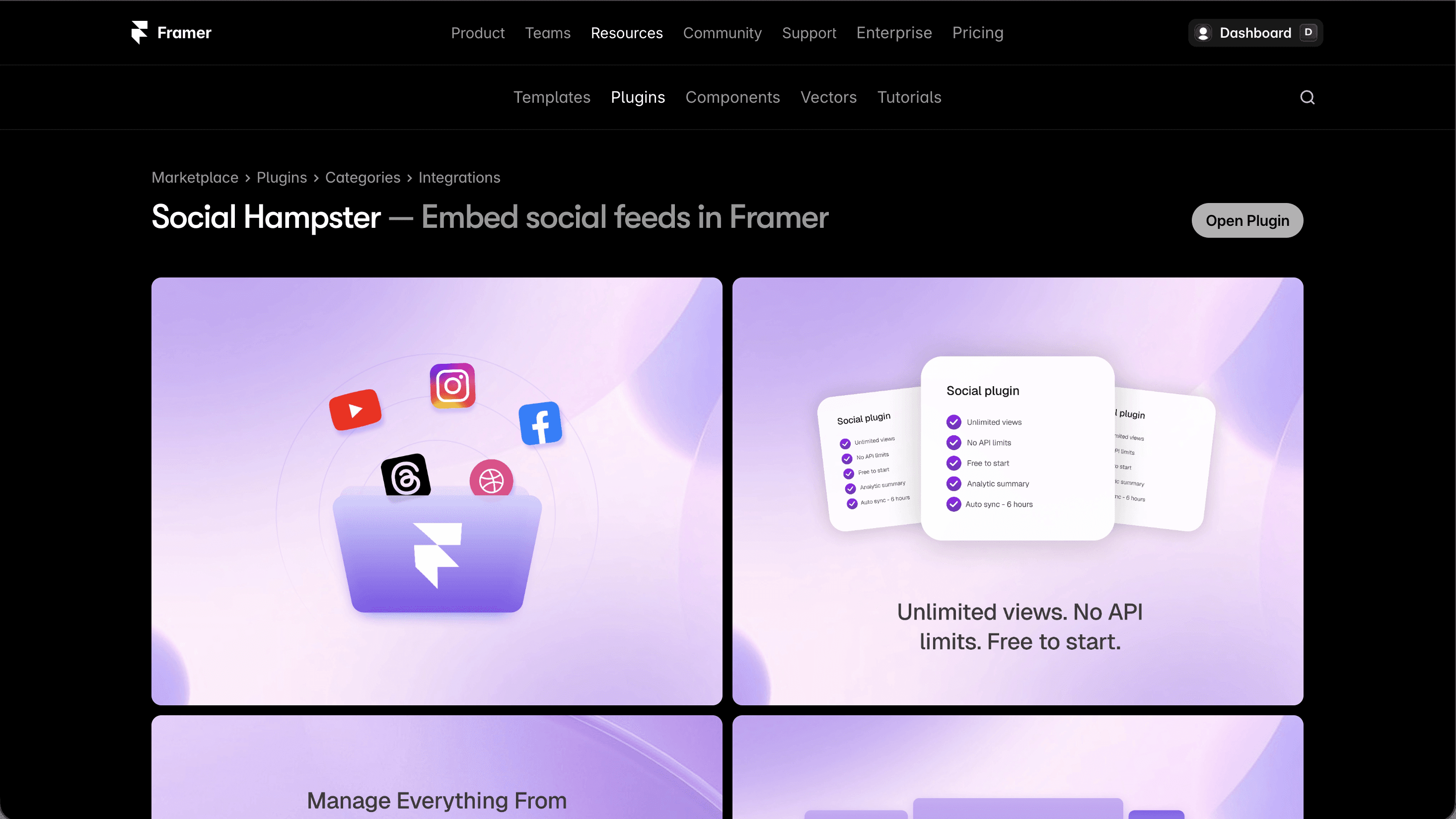
Open your Framer project. Click the Plugins icon (puzzle piece) in the left toolbar. Search Social Hampster → click Install. The plugin opens directly inside Framer no external tabs. After that, it is available in your Framer plugins list whenever you need it. Read docs for full picture.
Create or log in to your Social Hampster account
In the plugin panel: click Sign up free (30 seconds, just email + password) or Log in if you have an account. All authentication is inside the plugin panel.
Connect your Facebook Page
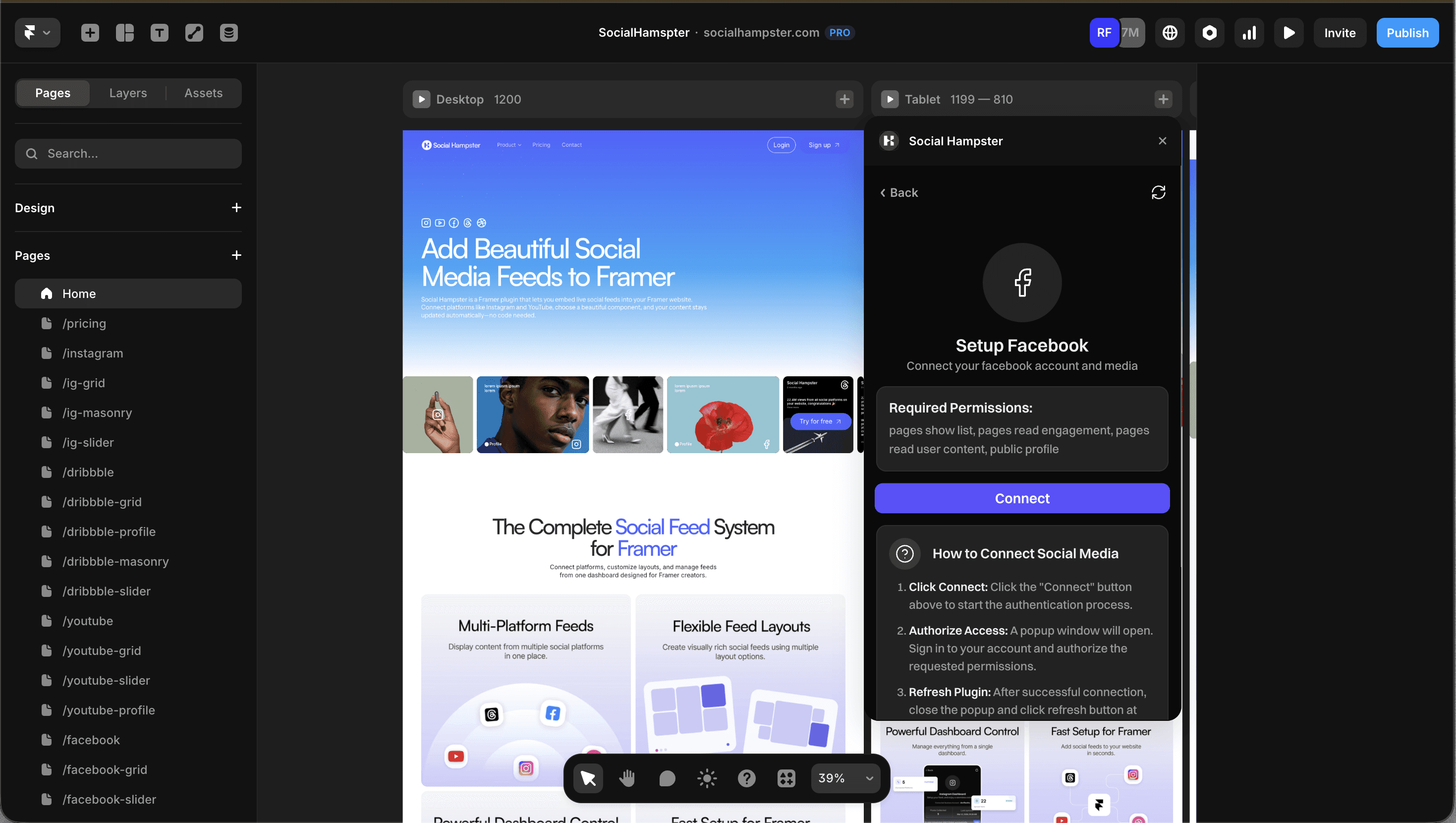
In the plugin: Connections → Add Platform → Facebook. A Meta OAuth window opens. Log in with the Facebook account that administers your Page. Select the specific Page you want to embed. Grant the required read permissions.
Choose your Facebook component layout
After connecting your Page, select your component:
Facebook Grid Classic multi-column. Best for "Follow us on Facebook" sections, contact pages, community hubs. Free plan.
Facebook Masonry Variable-height cards. Best for mixed content (photos, text, links) on creative or editorial sites. Personal/Business plan.
Facebook Slider Horizontal carousel. Best for homepage strips and press/social proof sections. Personal/Business plan.
Drag the component onto your canvas
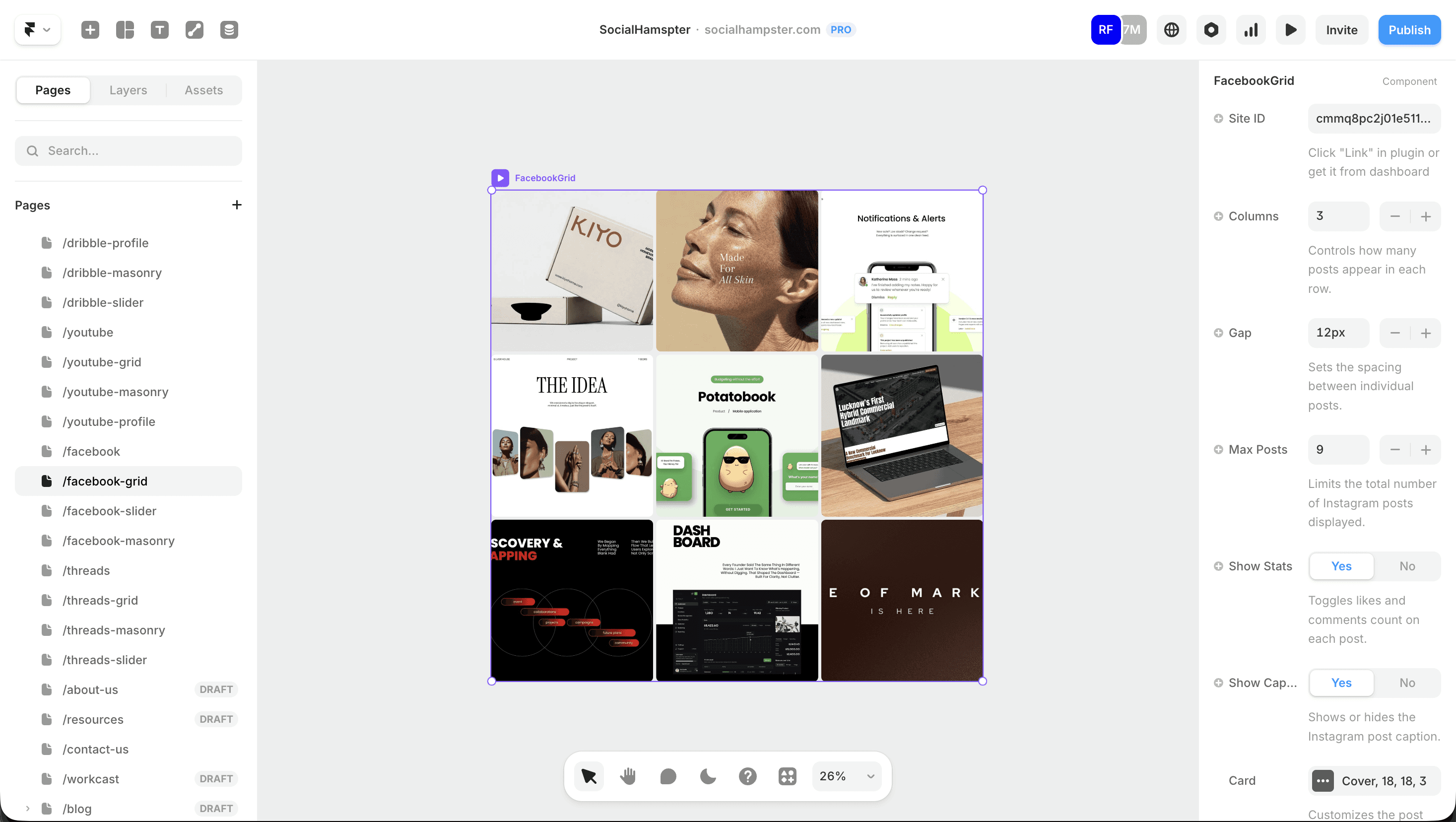
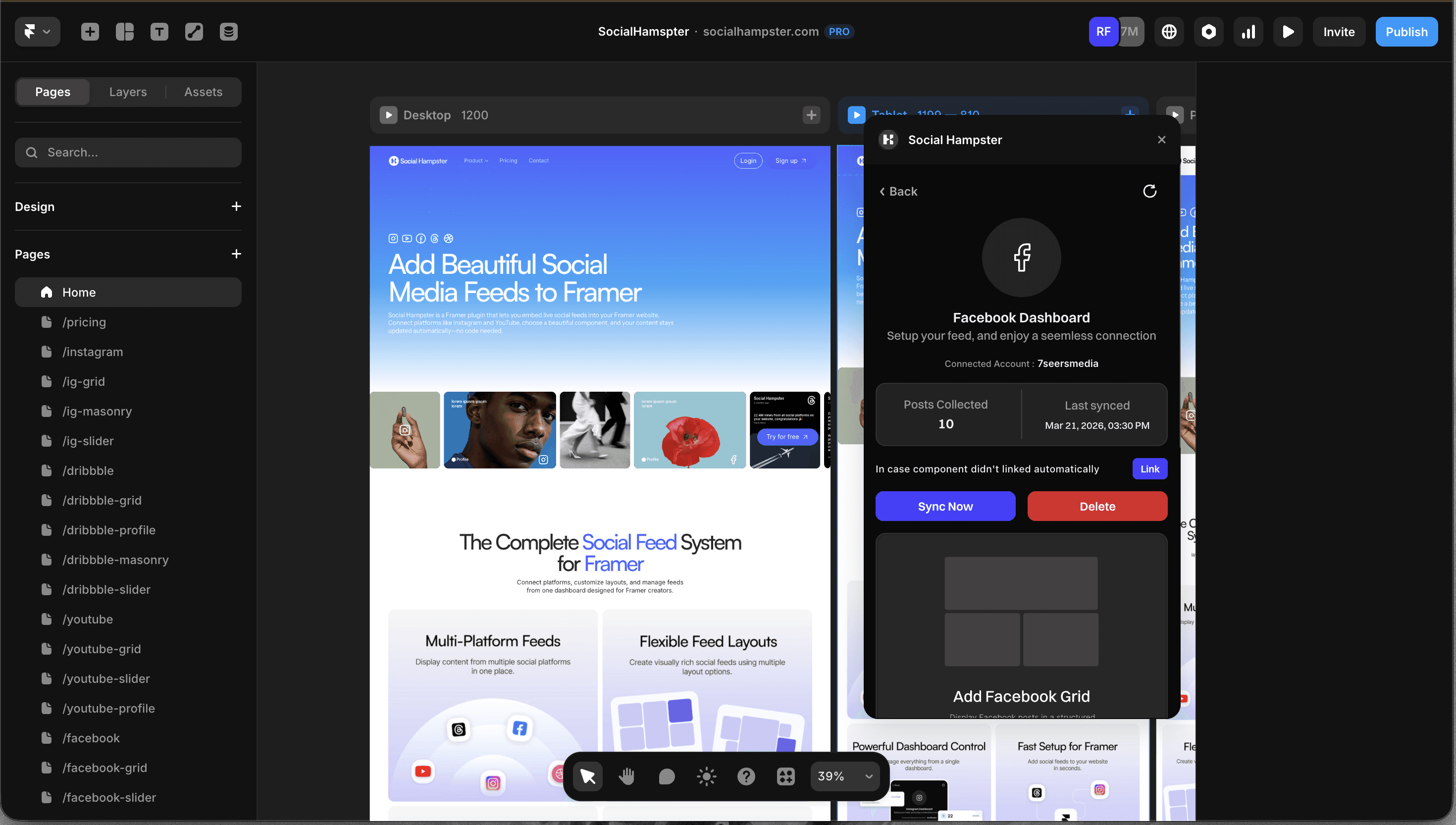
Drag the Facebook component from the plugin panel onto your Framer canvas. It lands as a native Framer component visible in your Layers panel, resizable, nestable inside any section.
Configure props in the right panel
With the component selected, the Framer right panel shows all available props:
Whitelist your domain
In your Social Hampster dashboard: Settings → Domain Whitelist → Add Domain. Enter your published domain (e.g. mybusiness.com). Also add your Framer preview URL (mysite.framer.website). Without this, the feed shows in the plugin but not on your published site.
Domain whitelist is a security requirement
This prevents your Facebook feed from being scraped or embedded on unauthorized sites. It's not optional add your domain before publishing.
Publish your Framer site
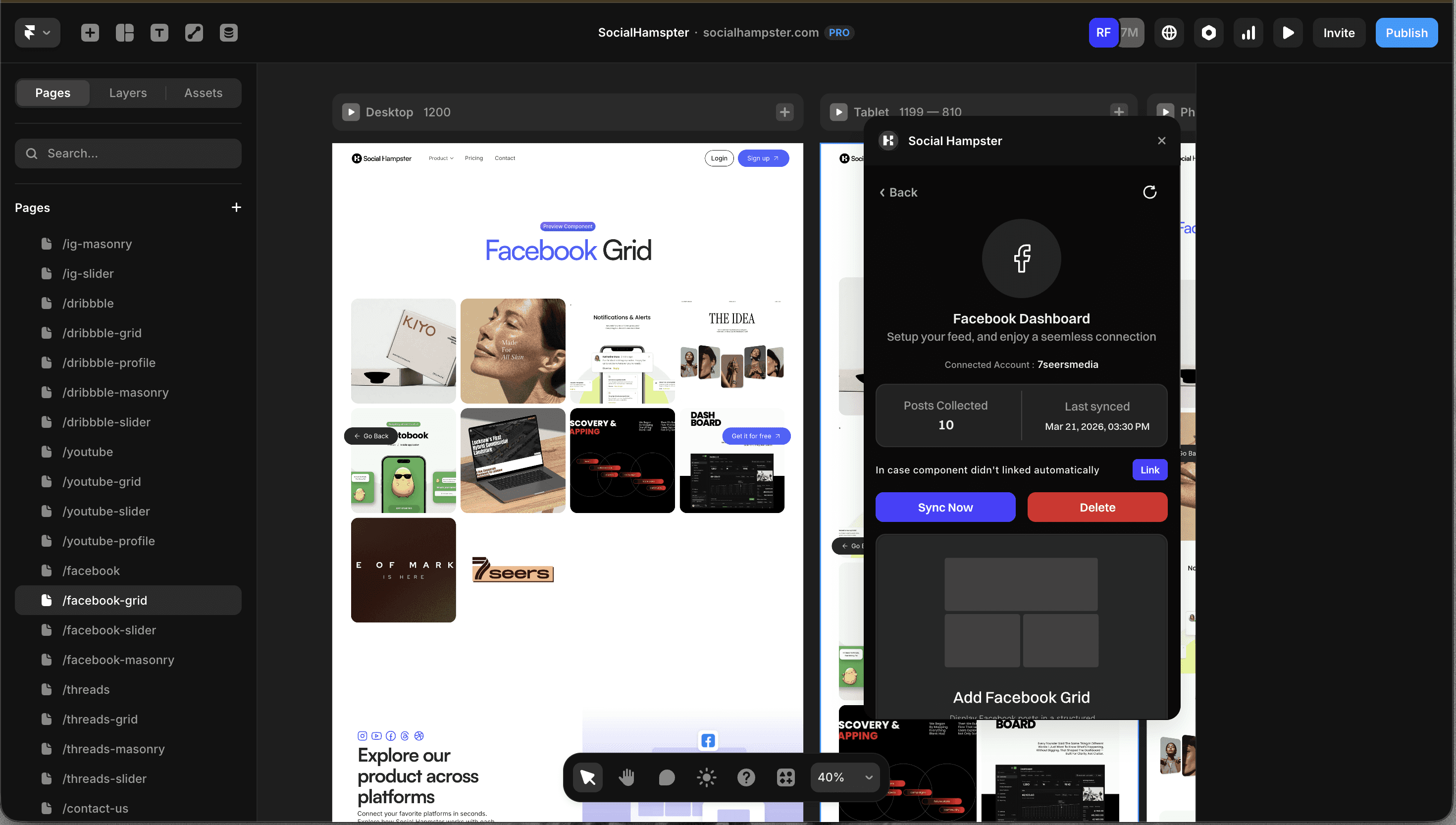
Click Publish in Framer. Visit your live site the Facebook feed loads within seconds. New posts you publish to your Facebook Page will appear automatically (30-min refresh on Free, 10-min on paid plans).
Your Facebook feed is one plugin away
Free plan: 3,000 views/mo · Paid plans: unlimited · Grid, Masonry & Slider · Native Framer component
Social Hampster vs Other Facebook Embed Tools for Framer
Feature | Social Hampster | Facebook Page Plugin | EmbedSocial | Common Ninja |
|---|---|---|---|---|
Native Framer component | ✓ Yes | ✗ iFrame | ✗ iFrame | ✗ iFrame |
Grid layout | ✓ | ✗ List only | ✓ | ✓ |
Masonry layout | ✓ | ✗ | ✗ | ✗ |
Slider layout | ✓ | ✗ | Limited | ✗ |
Free plan view limit | 3,000/mo (unlimited on paid) | N/A | 1,000/mo | 1,000/mo |
Mobile responsive | ✓ Native | Often broken | Limited | Limited |
Custom styling via props | ✓ Full control | None | Limited | Limited |
Analytics | ✓ Built-in | ✗ | Paid only | Paid only |
Best Use Cases for Facebook Feed in Framer
Local business community trust section
If you run a restaurant, salon, gym, or local service, your Facebook Page is where customers leave reviews, share events, and see your latest offers. A live Facebook Grid on your homepage below your hero, above the fold on scroll shows visitors you're active, responsive, and trusted by the community.
Agency portfolio social proof at scale
If you run a marketing or creative agency with a large Facebook following, embedding your Facebook feed on your agency's Framer site shows prospective clients you know how to run social by demonstrating it, not claiming it.
Event promotion keep visitors updated
If you organize regular events (conferences, workshops, community meetups), a Facebook Slider on your events page surfaces your latest announcements automatically. Post to Facebook once your website updates itself.
Non-profit / community organization
For community organizations, Facebook is often the primary communication channel. Embedding your feed on your Framer site means your website stays current without anyone having to remember to update it.
Mix Facebook and Instagram on the same site
Use a Facebook Grid in your "Community" section and an Instagram Masonry in your "Work" or "Gallery" section. Both components are independent different accounts, different content, one cohesive site design.
Facebook Component Props Full Reference
Prop | Type | Default | Description |
|---|---|---|---|
| string | auto | Your connected Facebook site ID (auto-filled) |
| number | 12 | Number of posts to display (1–50) |
| number | 3 | Grid columns on desktop (Grid only) |
| number | 12 | Gap between cards in px |
| boolean | true | Show likes/engagement stats on cards |
| boolean | true | Show post caption text on cards |
| number | 28 | Card corner radius in px |
| number | 1 | Card aspect ratio (1 = square) |
| string | #f3f4f6 | Card background color |
| string | "cover" | "cover" | "contain" |
| number | 3 | Max caption lines before truncation |
| string | rgba(0,0,0,0.3) | Hover overlay color |
| number | 18 | Stats icon size in px |
| boolean | true | Lazy-load images for performance |
| boolean | true | Muted autoplay for video posts |
| boolean | true | Keep audio muted |
| boolean | true | Loop video playback |
| number | 0 | Auto-scroll interval in ms Slider only (0 = off) |
| boolean | true | Show prev/next arrows (Slider only) |
| boolean | false | Use custom Framer components as arrows |
Which Plan Do You Need for Facebook in Framer?
Feature | Free | Personal ($10/mo) | Business ($20/mo) |
|---|---|---|---|
Facebook Grid | ✓ | ✓ | ✓ |
Facebook Masonry | ✗ | ✓ | ✓ |
Facebook Slider | ✗ | ✓ | ✓ |
Page views included | 3,000/mo | Unlimited | Unlimited |
Feed refresh rate | 24 hours | 6 hours | 2 hours |
Analytics | ✗ | ✓ | ✓ |
Custom domains | 1 | 2 | 12 |
Compare this to the competition
EmbedSocial and Common Ninja charge for views their free plans cap at 1,000 monthly views, and their paid plans can cost $50–$100/month. Social Hampster's Business plan is $20/month withunlimited viewsacross all platforms. No view math, no surprise bills.
Related guides:
→ How to Embed an Instagram Feed in Framer
→ How to Embed a Threads Feed in Framer
→ Facebook Full Documentation & Props Reference
Official Resources for Facebook Page Integration
Frequently Asked Questions Facebook Feed in Framer
Can I embed a Facebook feed in Framer for free?
Yes. Social Hampster's Free plan includes the Facebook Grid component with up to 3,000 page views per month no credit card required. Paid plans (Personal and Business) include unlimited views. You can also upgrade to get Masonry and Slider layouts.
Can I embed my Facebook personal profile, or only a Page?
Only Facebook Pages can be embedded via API. Personal profiles are not accessible through the Facebook Graph API this is a Meta policy to protect user privacy. You need a Facebook Page (business, community, creator, etc.).
Does the Facebook feed update automatically when I post?
Yes. Your feed refreshes every 24 hours on the Free plan and every 6 and 2 hours on Personal and Business plans. No republishing your Framer site is required.
Why isn't my Facebook feed showing on my published Framer site?
The most common cause is a missing domain whitelist entry. Go to Social Hampster dashboard → Settings → Domain Whitelist and add your exact domain. Also make sure your Facebook Page visibility is set to Public.
Can I show both Facebook and Instagram feeds on the same Framer site?
Yes. Add separate component instances one Facebook component and one Instagram component. Each is fully independent. They can sit in different sections of your site or even the same section.
Does the Facebook component work on mobile in Framer?
Yes. Unlike the official Facebook Page Plugin (which frequently breaks on mobile), Social Hampster's component is fully responsive. In Framer's mobile breakpoint, adjust columns to 1 or 2 for the optimal mobile layout.
What happens if I delete or disconnect my Facebook Page?
If you disconnect your Facebook Page from Social Hampster, the feed will stop loading and show a placeholder on your site. To restore it, reconnect or connect a different Facebook Page in your Social Hampster dashboard.
Ready to embed your Facebook feed in Framer?
Native component · Free plan: 3,000 views/mo · Paid plans: unlimited · Grid, Masonry & Slider