How to Embed a Threads Feed in Framer (Native Component, No iFrame)
Threads is the fastest-growing text platform Meta has ever launched, and your Framer site should be showing it. Here's how to embed a live Threads feed in Framer in under five minutes, without touching a line of code.
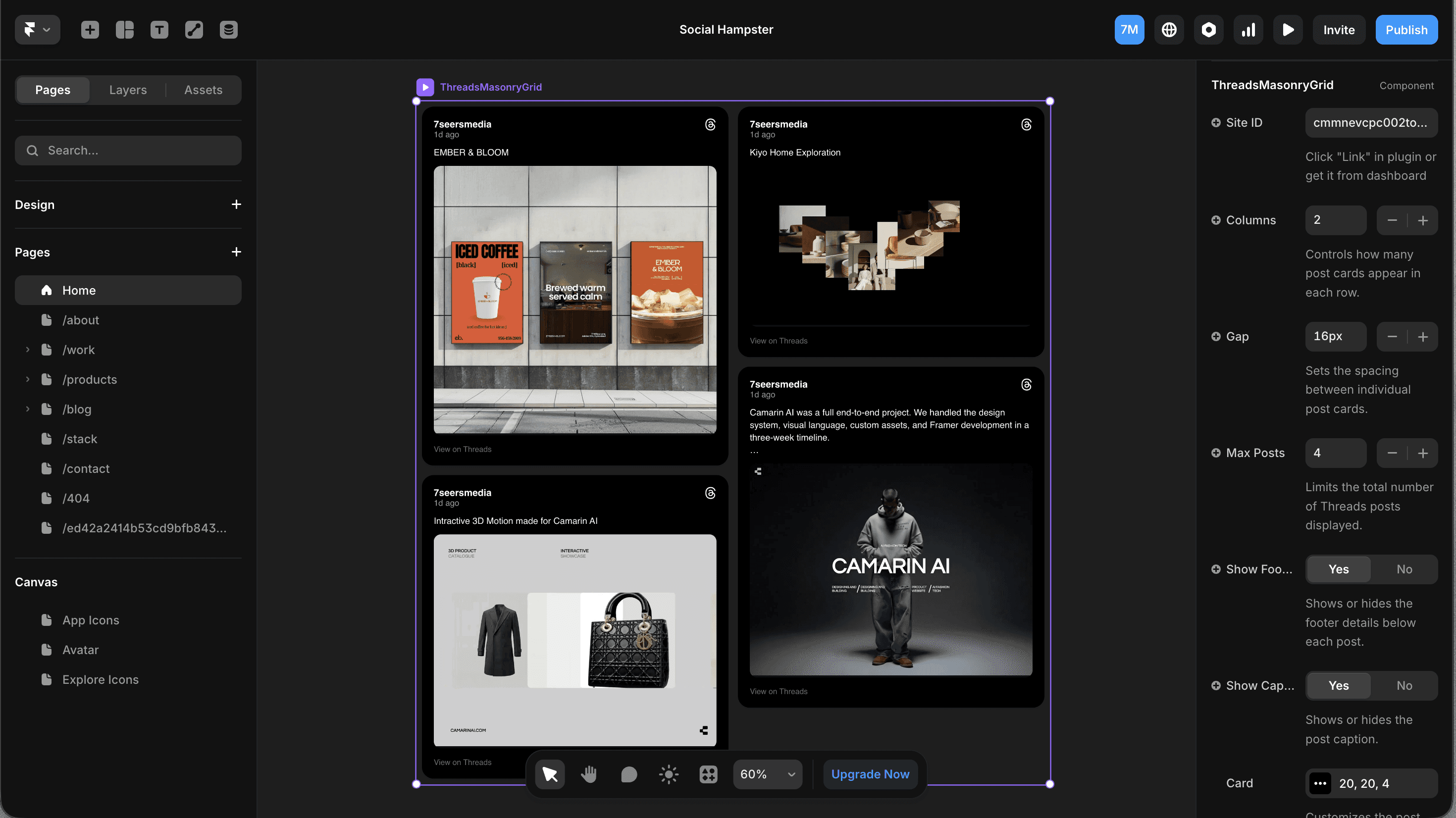
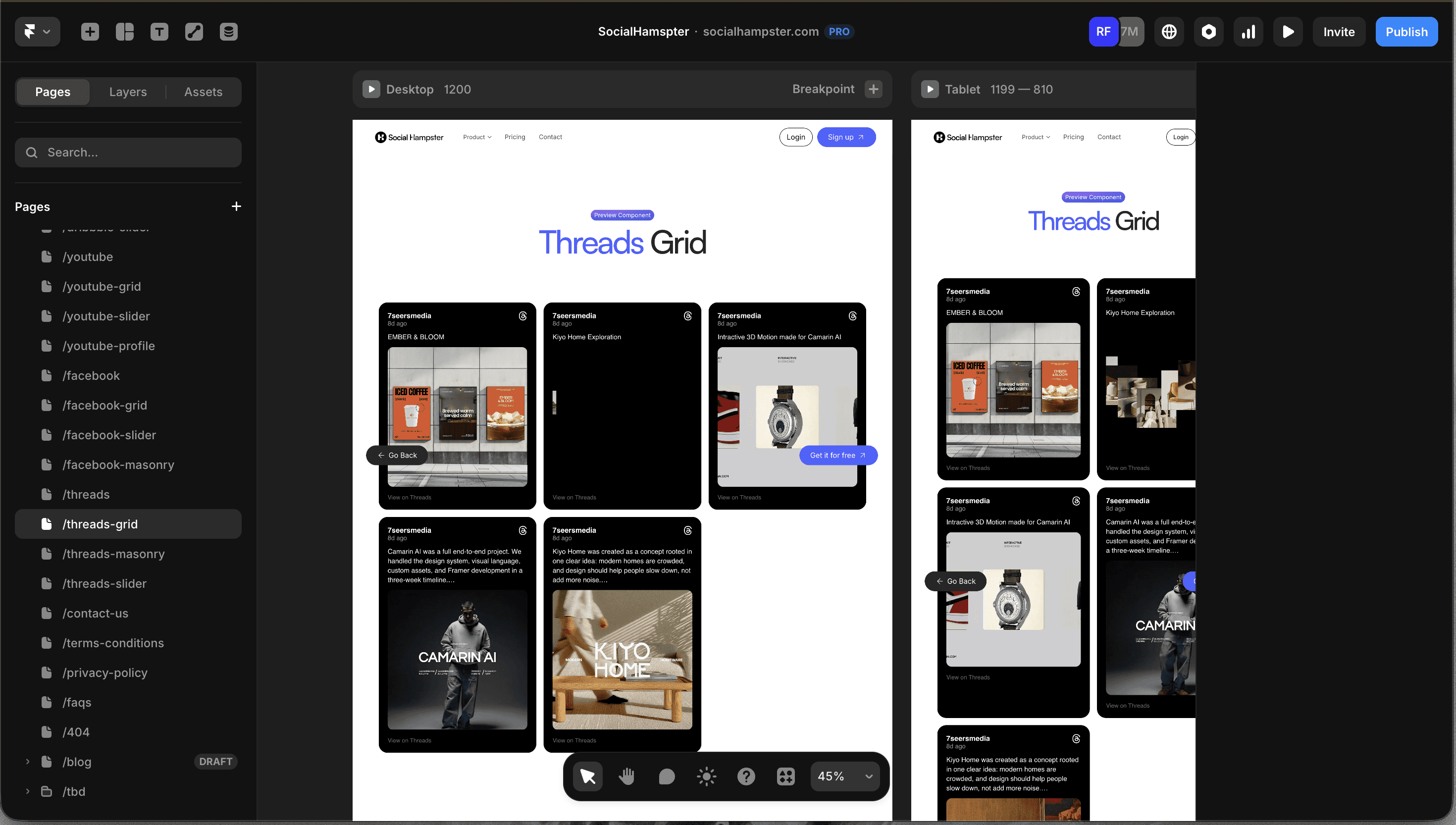
A Framer canvas showing a Threads feed grid component live on a portfolio or agency site. Dark/light version. Show the plugin panel open on the right.
If you're building websites in Framer, you already know how hard it is to keep social proof alive. You screenshot a Threads post, paste it in, and two weeks later it's stale. The engagement is gone. The post is buried.
The right way to embed a Threads feed in Framer is to do it live pulling fresh posts automatically, styled to match your site, without breaking your design system.
That's exactly what Social Hampster does. It's the only Framer plugin that embeds Threads natively not via iFrame, not via embed code but as a real Framer component that respects your breakpoints, typography, and spacing.

Start embedding Threads in Framer Totally free
Unlimited views on paid plans. No credit card required and it takes 5 minutes to setup
Why Embedding a Threads Feed in Framer Actually Matters
Threads crossed 300 million monthly active users in 2025. For creators, agencies, and startups using Framer, that's a huge audience signal going untapped.
But the bigger reason? Social proof works differently on Threads. Unlike Instagram (visual) or Twitter/X (fast), Threads is conversational the kind of platform where people share opinions, processes, and honest takes. Showing your Threads feed on a portfolio or agency site tells visitors: "This founder actually thinks in public."
The catch: most "embed Threads" tools give you a static widget or an iFrame. An iFrame drops a separate webpage inside yours it ignores your fonts, breaks on mobile, and tanks your Core Web Vitals score. A native Framer component doesn't.
Why native beats iFrame
An iFrame is like pasting a PDF into a Word doc. It sits there but doesn't belong. A native Framer component is part of your design, it inherits your fonts, responds to your breakpoints, and renders with your site's CSS, not a third-party one.
What Is Social Hampster? (The Only Threads Plugin for Framer)
Social Hampster is a Framer-native plugin that lets you embed live social feeds Instagram, Facebook, YouTube, Threads, and Dribbble directly into Framer without writing any code.
For Threads specifically, Social Hampster provides three components:
Grid — A clean multi-column layout. Available on the Free plan.
Masonry — A Pinterest-style staggered layout. Personal and Business plan.
Slider — A horizontal scroll layout for sidebars and feature sections. Personal and Business plan.
All three components are native Framer components not iFrames, not HTML embeds. They're responsive, customizable via props, and update automatically as you post new content to Threads.
Feature | Social Hampster | Behold.so | SociableKit | EmbedSocial |
|---|---|---|---|---|
Threads support | ✓ Native | ✗ | ✗ | ✗ |
Framer-native component | ✓ | ✗ iFrame | ✗ iFrame | ✗ iFrame |
Free plan views/mo | 3,000 (unlimited on paid plans) | 1,000 views | 1,000 views | 1,000 views |
Grid, Masonry & Slider | ✓ All 3 | Grid only | Grid only | Grid only |
Analytics (clicks, impressions) | ✓ | ✗ | ✗ | ✓ |
Works inside Framer plugin panel | ✓ | Separate dashboard | Separate dashboard | Separate dashboard |
No other tool supports Threads in Framer natively. Social Hampster is the only one, which means if a visitor searches "embed Threads site," and they're a Framer user, there's one right answer.
How to Embed a Threads Feed in Framer, Step by Step
This entire setup takes under five minutes from install to publish. Here's every step.
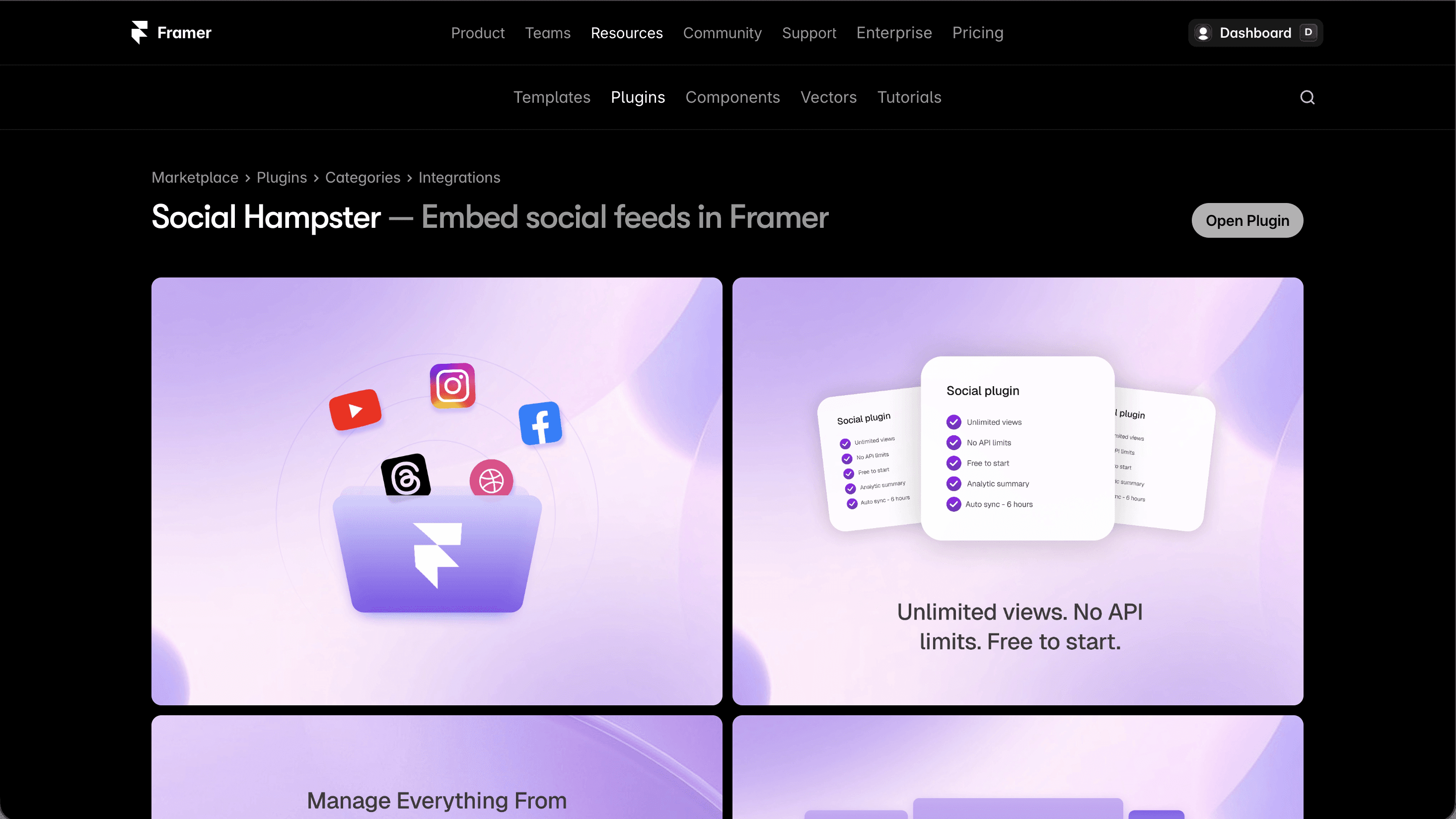
Install the Social Hampster plugin in Framer
Open your Framer project. Click the Plugins icon (puzzle piece) in the left toolbar. Search Social Hampster → click Install. The plugin opens directly inside Framer no external tabs. After that, it is available in your Framer plugins list whenever you need it. Read docs for full picture.
Sign in or create your Social Hampster account
If you don't have an account yet, click Sign up free it takes 30 seconds. If you already have one, click Log in. Authentication happens inside the plugin panel.
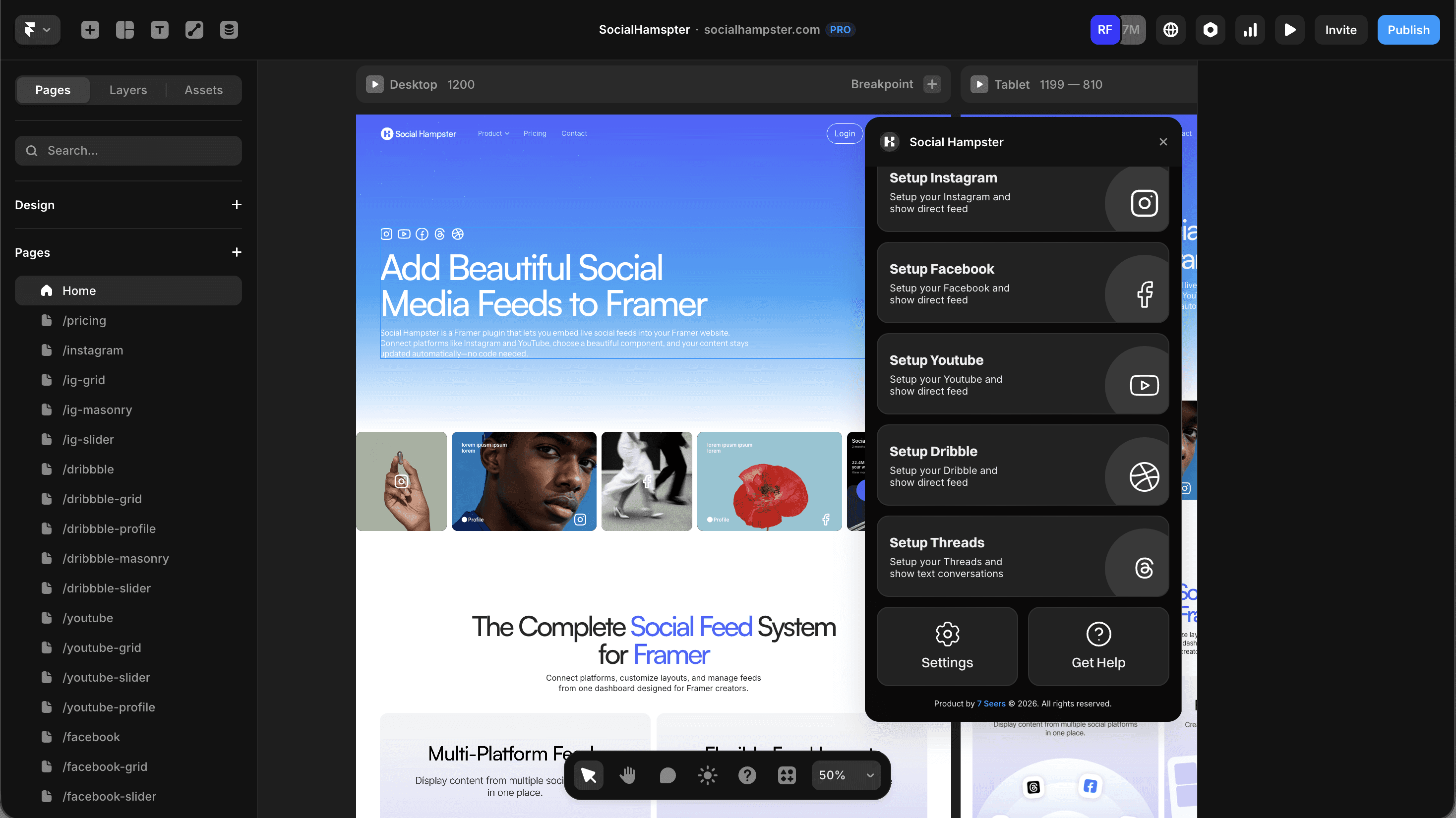
Connect your Threads account
In the plugin dashboard, go to Connections → Add Platform → Threads. You'll be redirected to Meta's authentication flow. Grant the required read permissions Social Hampster only ever reads your posts, never posts on your behalf.
Choose your Threads feed component
After connecting, the plugin lists your available components. For a Threads feed in Framer, you have three options:
Threads Grid — Best for homepage sections, about pages, sidebars
Threads Masonry — Best for creative portfolios, show-heavy layouts
Threads Slider — Best for feature sections, press/media sections
Click the component you want to use.
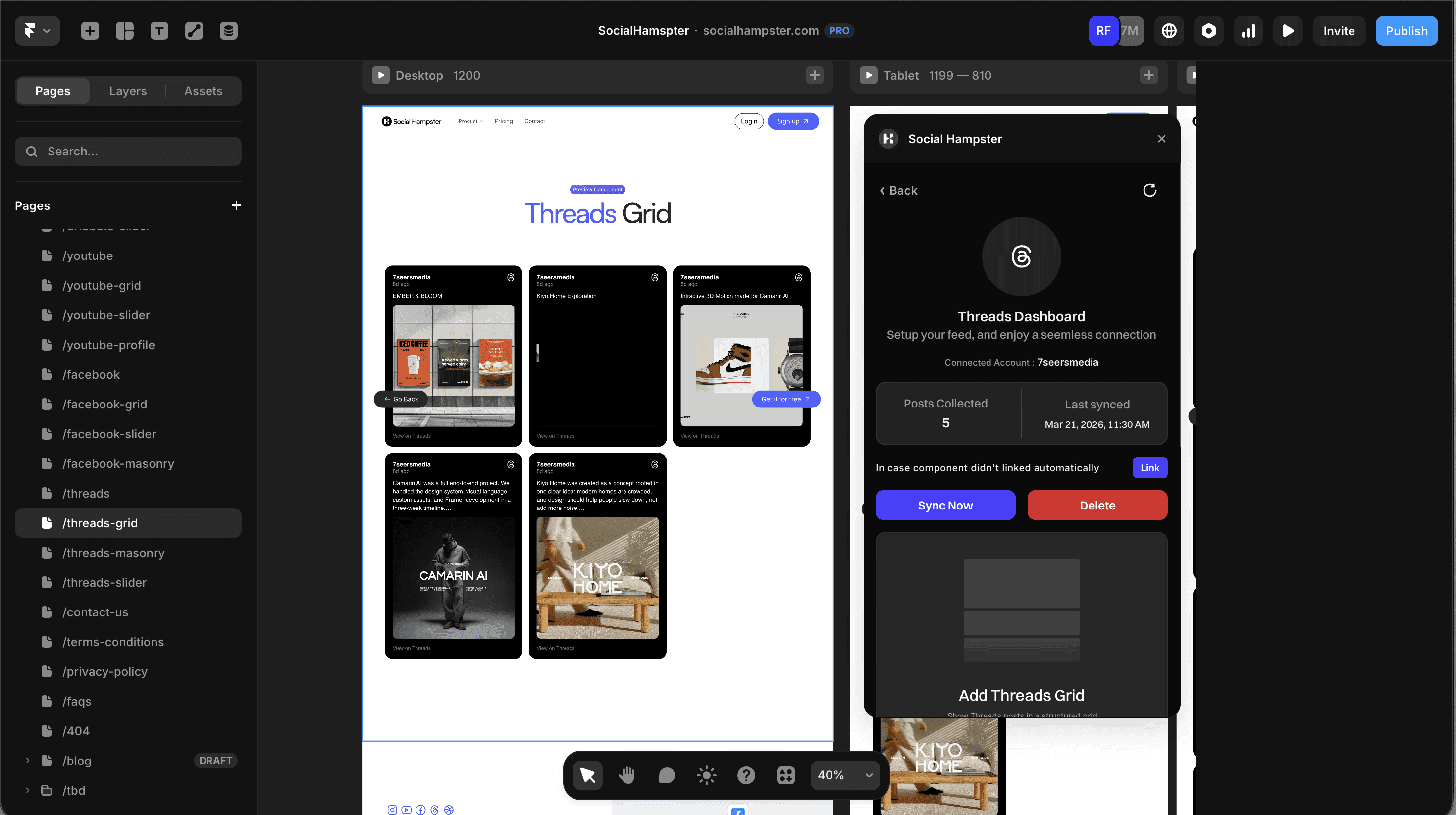
Drag the component onto your canvas
Drag the component from the plugin panel onto your Framer canvas. It drops in as a real Framer component you'll see it in your Layers panel like any other element.
Configure your component props
With the component selected, open the right panel in Framer. You'll see the Social Hampster props. Key ones to configure:
Your Threads feed is one plugin away
Free plan · 3,000 views/mo · Unlimited on paid plans · Native Framer component
Threads Component Props, Full Reference
Here's the full props table for all three Threads components. All props are configured directly in Framer's right panel,no code editor required.
Prop | Type | Default | Description |
|---|---|---|---|
| string | auto | Your connected Threads site ID (auto-filled from dashboard) |
| number | 12 | Number of posts to display (1–50) |
| number | 3 | Grid columns on desktop (Grid & Masonry) |
| number | 12 | Gap between cards in px |
| boolean | true | Show likes and engagement stats on cards |
| boolean | true | Show post text caption on cards |
| number | 28 | Card corner radius in px |
| number | 1 | Card aspect ratio (1 = square) |
| string | #f3f4f6 | Card background color |
| string | "cover" | "cover" |
| number | 3 | Max caption lines before truncation |
| string | rgba(0,0,0,0.3) | Overlay color shown on hover |
| number | 18 | Stats icon size in px |
| boolean | true | Lazy-load images for performance |
| boolean | true | Enable auto-scroll (Slider only) |
| number | 3000 | Auto-scroll interval in ms (Slider only) |
| boolean | true | Show prev/next arrows (Slider only) |
| boolean | false | Use custom Framer components as arrows (Slider only) |
Styling Your Threads Feed to Match Your Framer Design
Because the Threads component is native Framer, it responds to your design decisions. Here are the most common styling adjustments:
Match your site's card style
Set cardStyle.radius to match your design system. If your site uses sharp corners, set it to 0. If it uses rounded corners, go up to 24px. The default is 28px, a comfortable modern radius.
Dark mode
Set cardStyle.background to a dark color (e.g. #1a1a1a) for a dark card look, or keep the default #f3f4f6 for light. The component inherits Framer's color variables, so you can tie it to your site's theme token directly.
Controlling the grid on mobile
In Framer's breakpoint view, switch to mobile and adjust the columns prop to 1 or 2. The component re-renders independently at each breakpoint, no extra CSS needed.
Pro tip
Use the Slider component in a narrow sidebar section on your homepage to create a "What I've been thinking about" social proof strip — it's a surprisingly effective trust signal for personal brands and solo founders.
Related guides:
→ How to Embed an Instagram Feed in Framer
→ How to Embed a YouTube Feed in Framer
Tracking Threads Feed Performance with Social Hampster Analytics
Once your Threads feed is live, Social Hampster's built-in analytics tracks:
Post clicks — How many visitors clicked through from a post card to Threads
Impressions — How many times each post was viewed on your site
CTR per post — Which posts convert visitors to Threads followers best
Device breakdown — Desktop vs mobile engagement
Access analytics at socialhampster.com/dashboard → Analytics → Threads. No third-party analytics tool required, it's built in.
What Plan Do You Need for Threads in Framer?
Feature | Free | Personal ($10/mo) | Business ($20/mo) |
|---|---|---|---|
Threads Grid component | ✓ | ✓ | ✓ |
Threads Masonry component | ✗ | ✓ | ✓ |
Threads Slider component | ✗ | ✓ | ✓ |
Page views included | 3,000/mo | Unlimited | Unlimited |
Feed refresh rate | 30 min | 10 min | 10 min |
Analytics | ✗ | ✓ | ✓ |
Custom domains | 1 | 3 | Unlimited |
Free plan insight
Our competitors charge $50/month for 50,000 views. Social Hampster's Free plan includes 3,000 views/month at zero cost, and paid plans include unlimited views with no caps ever.
Further Reading & Official Resources
Frequently Asked Questions Threads Feed in Framer
Can I embed a Threads feed in Framer for free?
Yes. Social Hampster's Free plan includes the Threads Grid component with 3,000 page views per month. No credit card required to get started. Personal and Business plans include unlimited views.
Does the Threads feed update automatically when I post new content?
Yes. Your feed refreshes every 24 hours on the Free plan and every 6 and 2 hours on Personal and Business plans. No republishing your Framer site is required.
Is the Threads component an iFrame or a native Framer component?
It's a native Framer component — not an iFrame. It respects your typography, breakpoints, and design system. iFrames from other tools can break your Core Web Vitals; native components don't.
Why aren't my Threads posts showing up after setup?
The most common cause is a missing domain whitelist entry. Go to your Social Hampster dashboard → Settings → Domain Whitelist and add your published Framer domain. Also make sure the feedId prop matches your connected Threads account.
Can I show only specific Threads posts?
Post filtering by hashtag and keyword is available on the Personal and Business plans. Use the filter prop in the component settings panel to define which posts to include.
Does the Threads component work on Framer's mobile breakpoints?
Yes. All Social Hampster components are fully responsive. Switch to mobile view in Framer and adjust the columns prop — the component re-renders at each breakpoint independently.
Can I embed multiple Threads accounts on the same Framer site?
Yes. Connect multiple Threads accounts in your Social Hampster dashboard and use a different feedId on each component instance.
Ready to embed your Threads feed in Framer?
Free plan · 3,000 views/mo · Unlimited views on paid plans · Works inside Framer in minutes